Skip to content
ffgit
macOS · Windows · LinuxBeta · v0.4.0

Agents write the code. You decide what lands.

ffgit is a desktop app for AI coding agents. Start Claude Code or Codex from any screen with ⌘N, give every task its own worktree, put several agents on one task or run them as a team, and answer only what needs you. Then review the code, images and CI they produce before it lands.

ffgit is in beta. Features are evolving, and you may encounter bugs.

Beta · v0.4.0 (696) · Nov 21, 2026macOS 13+ · Apple Silicon & Intel

Signed & notarized by AppleAlso for Windows · Linux

Beta · v0.4.0 (691) · Nov 21, 2026Windows 10+ · x64

EV-signed installer · no admin rights neededAlso for macOS · Linux

Beta · v0.4.0 (696) · Nov 21, 2026Linux x64 · .deb for Ubuntu & Debian

Other distributions: .tar.gzAlso for macOS · Windows

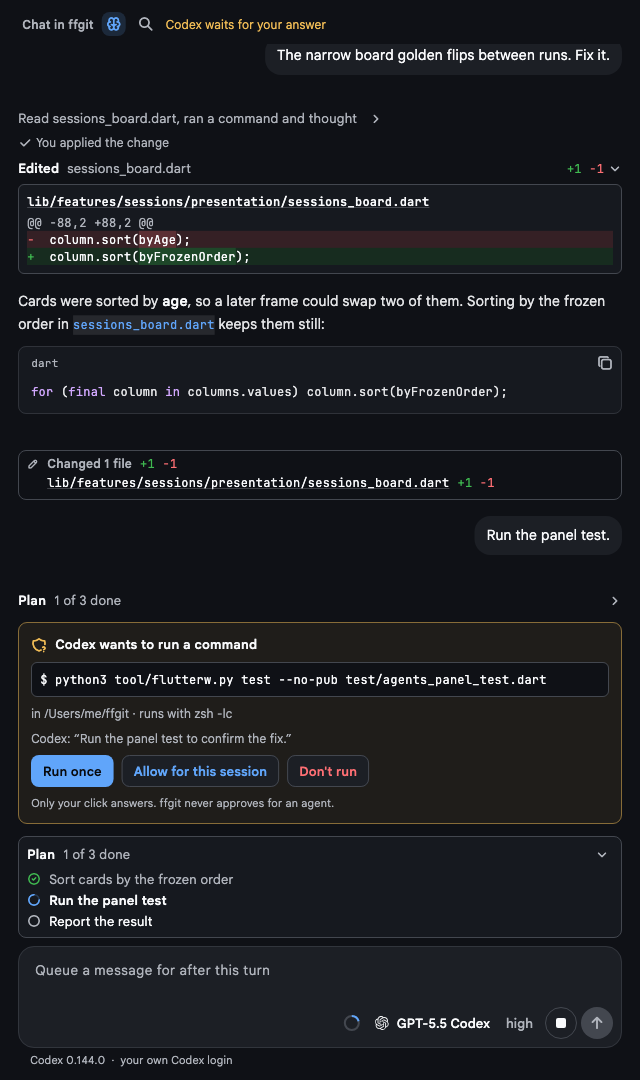
Chat
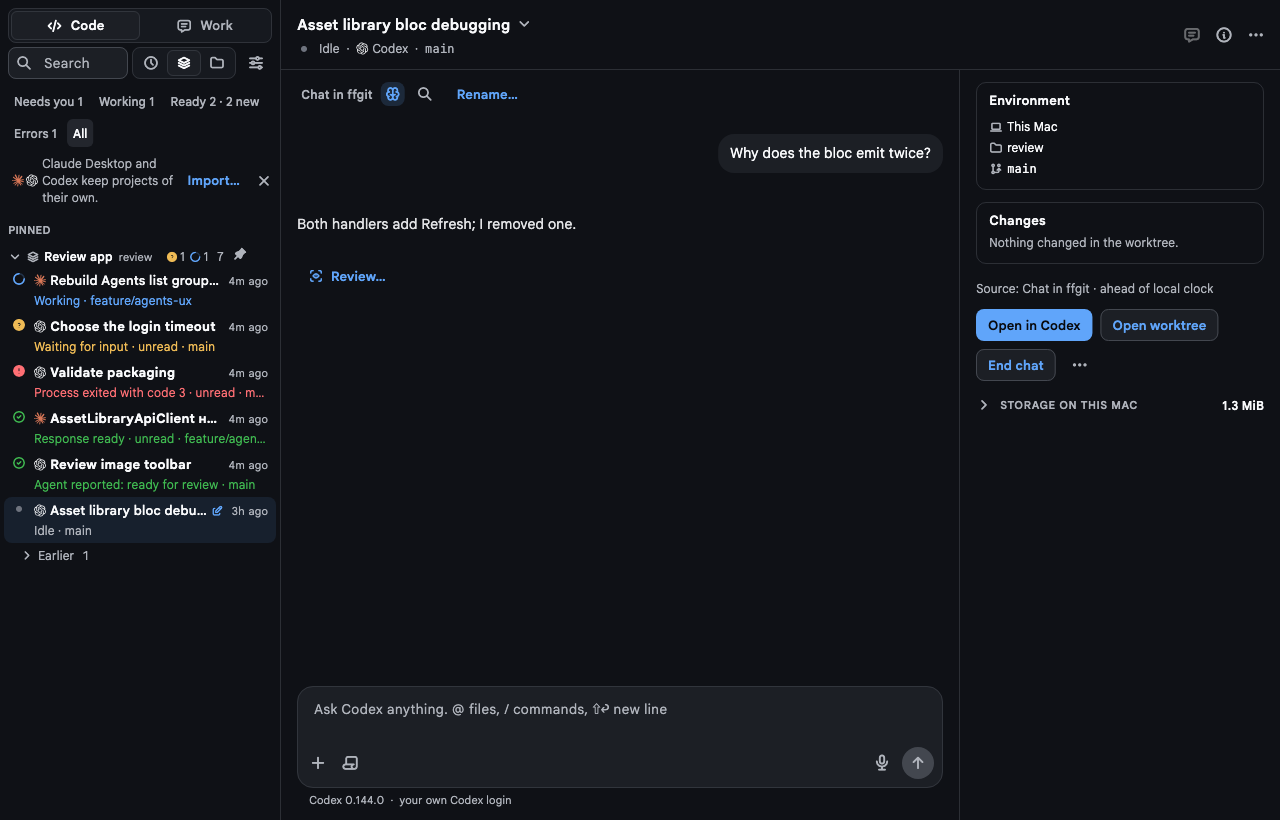
ffgit Chat: Code and Work above chats grouped by project with their live status, and a Codex conversation with its message box, environment, changes and actions
Repository › Overview
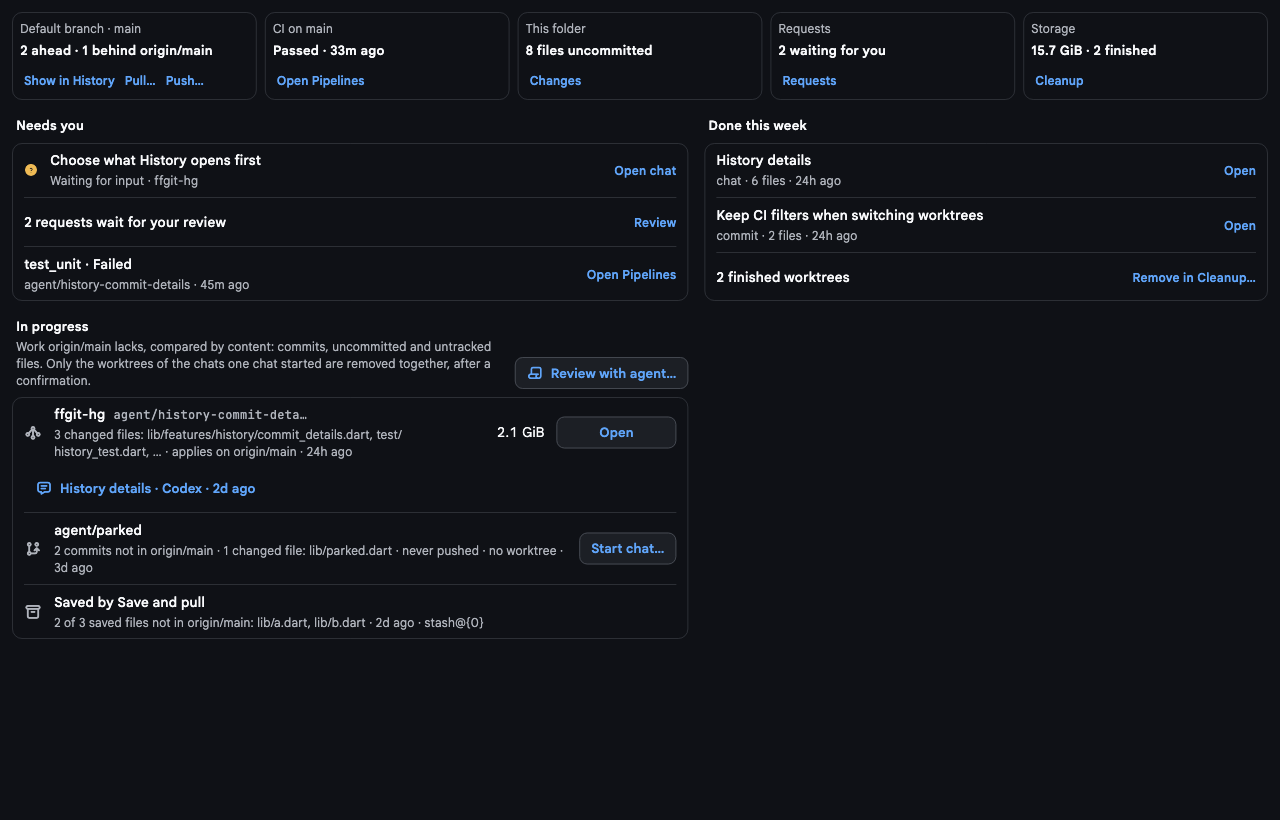
ffgit Repository › Overview: tiles for the default branch, CI, uncommitted files, requests and storage, then Needs you, In progress and Done this week
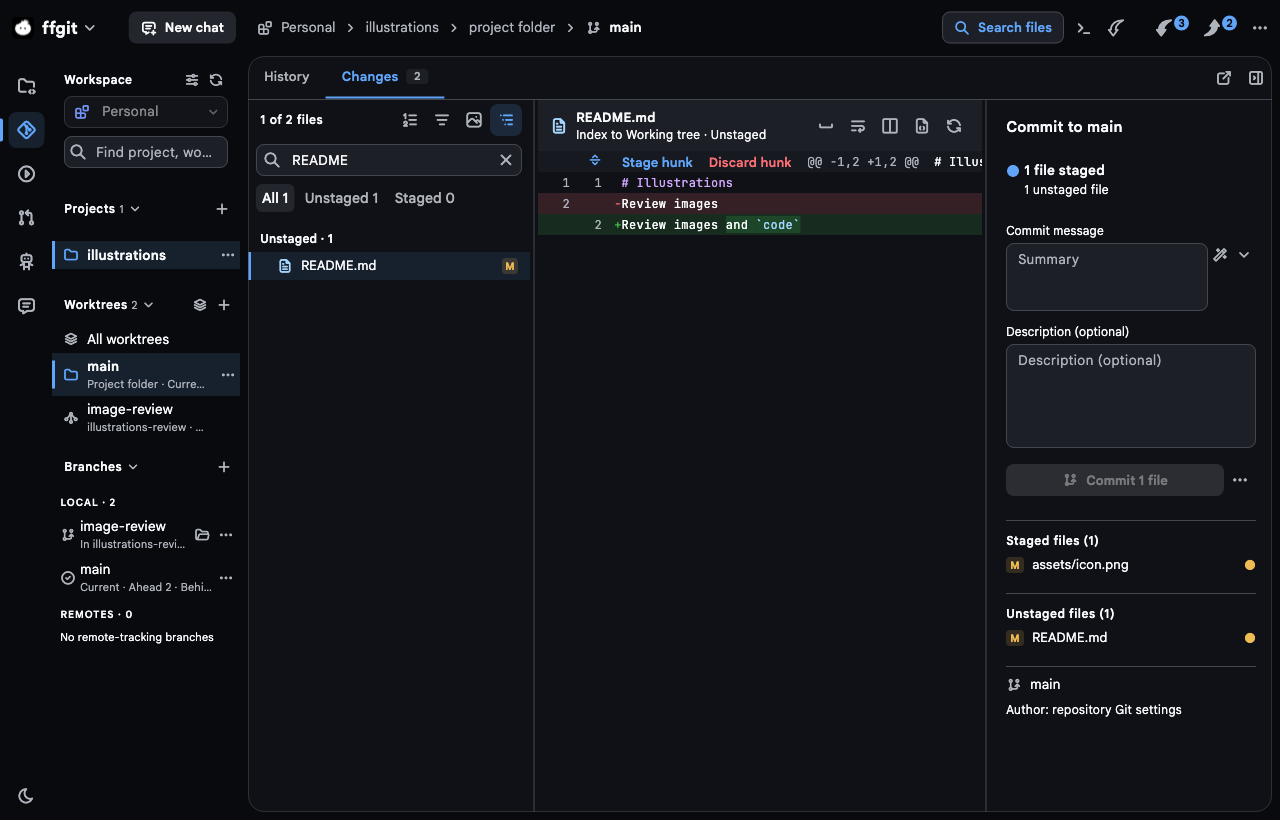
Git › Changes
ffgit Git › Changes with the rail and New chat in the header: the file list, a diff with Stage hunk and Discard hunk, and the commit composer
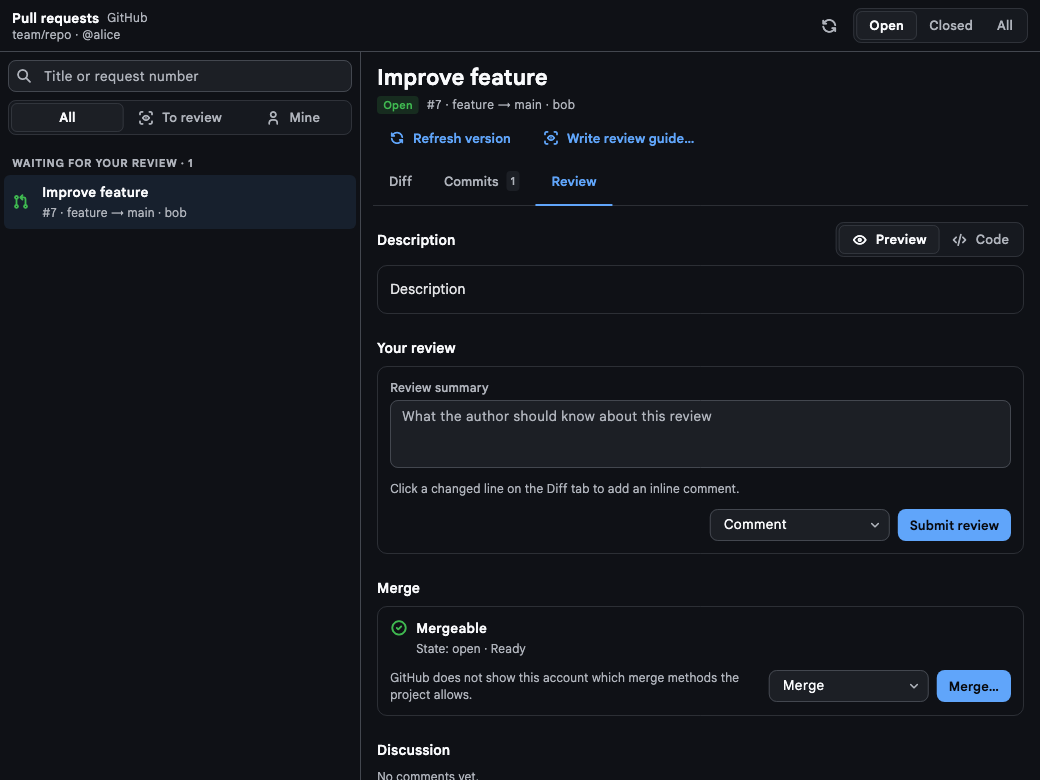
Requests
ffgit Requests: a GitHub pull request with Diff, Commits and Review tabs, Write review guide…, your review and Merge
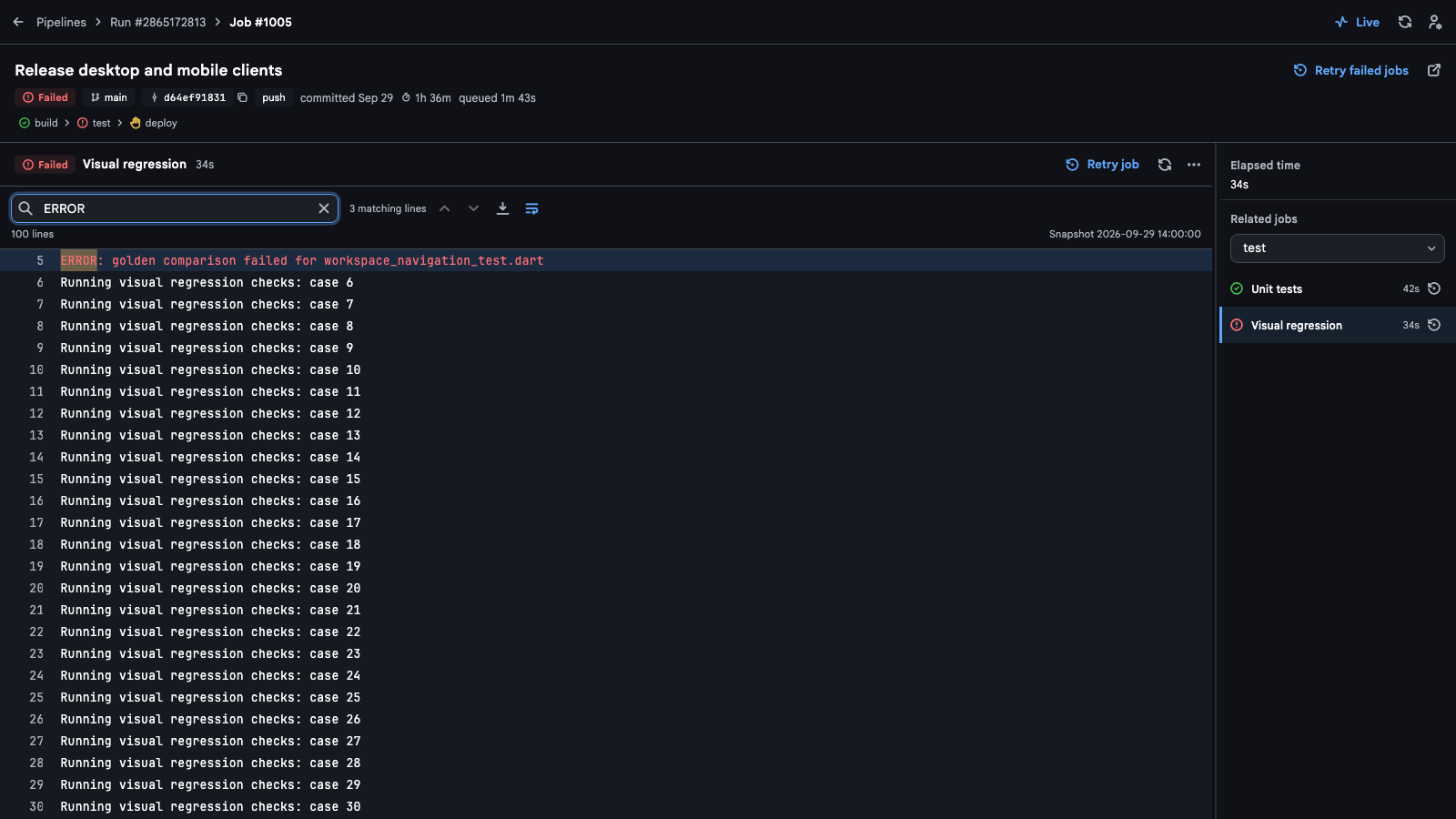
Pipelines
ffgit Pipelines: the bar Pipelines › Run › Job, the run's heading and stages, and a failed job's log filtered to ERROR

Works with the agents and tools you already use

Agents

Run your coding agents in parallel.

ffgit starts the Claude Code and Codex you already have, signed in with your own accounts. Every task gets its own chat and worktree, the agents work side by side, and you step in only where one needs you.

  1. 1

    Start from any screen

    New chat sits in the header, and ⌘N opens it anywhere. Pick the agent, login, model and effort, and this worktree or a new one for the task.

  2. 2

    Run several at once

    ⌘↩ sends the same task to another agent or model. Start a team or a loop from a template, or run a task on a schedule or from an issue.

  3. 3

    Answer only what needs you

    Commands and edits wait on a card only your click answers. Needs you on the Overview, the board and Activity show which agents wait.

  4. 4

    Review before it lands

    Lay attempts side by side, have your agent write a review guide, and send your notes back to the chat. Nothing lands until you commit or merge.

Agents

Sessions · 4

Needs you1

  • Choose the login timeout

    Asking a question

    Codex· checkout-web / main

Working2

  • Rebuild Agents list grouping

    Working

    Claude Code· ffgit / agents-ux

  • Tighten address validation

    Working

    Codex· checkout-web / validation

Ready1

  • Review image toolbar

    Response ready · unread

    Claude Code· ffgit / image-toolbar

Start a task or approve a waiting one. Tasks finish on their own, like in ffgit.

An ffgit chat with Codex: the edit it made, its plan of three steps, and a card asking to run a test with Run once, Allow for this session and Don't run

A real chat, not a terminal

Replies stream in, and commands and edits fold into one line with their output. What the agent asks to do waits on a card only your click answers.

  • The plan and its steps as the agent works through them
  • Messages typed during a turn queue up, and the queue outlives a quit or a crash
  • Drafts come back after a restart, attachments included
  • Tags on chats, and a search that finds a chat by what you or the agent wrote
  • The agent's own login, version and settings; ffgit keeps none of the chat
Several attempts, one review
Send one task to two agents or models, then Review attempts… lays them side by side from one baseline: files, commits, CI and the checks each agent says it ran.
Orchestrator chats
One chat starts Claude Code and Codex chats, messages them, waits for them and reads what they changed. Every chat it starts is one you can open and answer.
Watch and wake
A chat follows its pull or merge request and wakes its agent when a check fails, a reviewer comments or the branch starts to conflict.
Limits you can see
Each login's 5-hour and weekly limits with their reset time and tokens by model. A new chat starts on the login with the most room, and a chat a limit stopped resumes at the reset.
Teams of agents
Start a team or a loop from a template, such as Write and cross-review, or your own. A coordinator hands work items to roles, each with its own agent, login, model and worktree, and accepts one only after its check passes. A loop passes each reply to the other chat for the rounds you set.
Context from your review
Attach a diff hunk, a file, a region of an image marked in its own pixels, or a golden-test failure with its expected, actual and difference images. The agent reads the text and sees the images.
On a schedule or from an issue
Run a task template at a set time on weekdays or every day while ffgit runs, or start a chat from a GitHub or GitLab issue, quoted into the task as data.
Live status, one inbox
Working, waiting, ready or failed, as each agent reports it, on the sidebar and the board; Waiting for you (⌘⇧I) lists the chats that wait on you. Questions, ready responses and failures land in Activity.
Hand off to another agent
Continue in Codex or Continue in Claude Code opens a new chat for the other agent with the first request, the latest messages and command outcomes, for you to read, edit and send.
Bring your own agent. ffgit resells no tokens and ships no model of its own.

  • Claude Code

    claude · your Claude login

  • Codex

    codex login · your Codex login

  • Any MCP client

    ffgit-mcp · Git tools over MCP

  • No account to create in ffgit
  • Same task, another agent or model: ⌘↩
  • Every task in its own worktree
  • Several logins per agent
  • ACP agents such as Gemini CLI and OpenCode (early)

Overview

See what needs you at a glance.

Repository › Overview puts the project on one screen: chats waiting for an answer, requests waiting for your review, failed pipelines, and the work your agents left in progress.

Repository › Overview
ffgit Repository › Overview: tiles for the default branch, CI, uncommitted files, requests and storage, then Needs you, In progress and Done this week
Needs you
Waiting chats, requests to review and failed pipelines, each a click away from where you answer it.
In progress
Worktrees with work the default branch lacks and the chats that ran in them, branches without a worktree, and stashes. Review with agent… drafts a chat that reviews them.
Done this week
The default branch's commits from the last seven days, a merge named by the chat or request behind it. Open shows the commit in History.
Five tiles
The default branch against its upstream, the latest CI run, uncommitted files, requests for you and storage, each opening its own area.

Review

Review what your agents wrote.

Pull and merge requests with a guide your own agent writes, notes you send back to the chat, and a commit graph you read at a glance.

#128 Retry token refresh once

Review guide…
2 of 5 viewed
  • src/auth/session.ts
  • src/api/client.tsChanged since viewed
  • src/auth/session.test.ts
  • docs/auth.md
  • assets/[email protected]

src/api/client.ts

12 const token = await session.token();
13− return fetch(url, init);
13+ return fetch(url, withAuth(init, token));
Draft

Should the retried request keep the caller's other headers?

14}
ApproveRequest changesMerge…Squash

Pull and merge requests

GitHub and GitLab reviews in the app: diffs and images, inline drafts, replies, approve or request changes. Viewed folds a file, on GitHub as GitHub's own mark, and a later push flags it Changed since viewed. Merge offers only the methods the project allows, and Create pull / merge request… opens a new one from the branch you reviewed.

Review guide

Claude Code

  1. 1Look closelysrc/auth/session.ts:42

    A second 401 during refresh now signs out instead of looping. Decide if that is the behaviour you want.

    Comment…

  2. 2src/api/client.ts

    Sends the refreshed token on the retried request.

  3. 3src/auth/session.test.ts

    Covers the retry and the sign-out.

  4. 4docs/auth.md · assets/[email protected]

    Wording and a re-exported image.

A review guide from your agent

Review guide… has Claude Code or Codex read the request in a temporary checkout and write a tour in reading order: Look closely where only a maintainer can decide, mechanical changes last, every file somewhere.

Review notes (2)

40 const response = await send(request);
41 if (response.status === 401) {
42+ return refreshOnce(request);1

What if the refresh itself returns 401?

43 }
2

assets/[email protected]

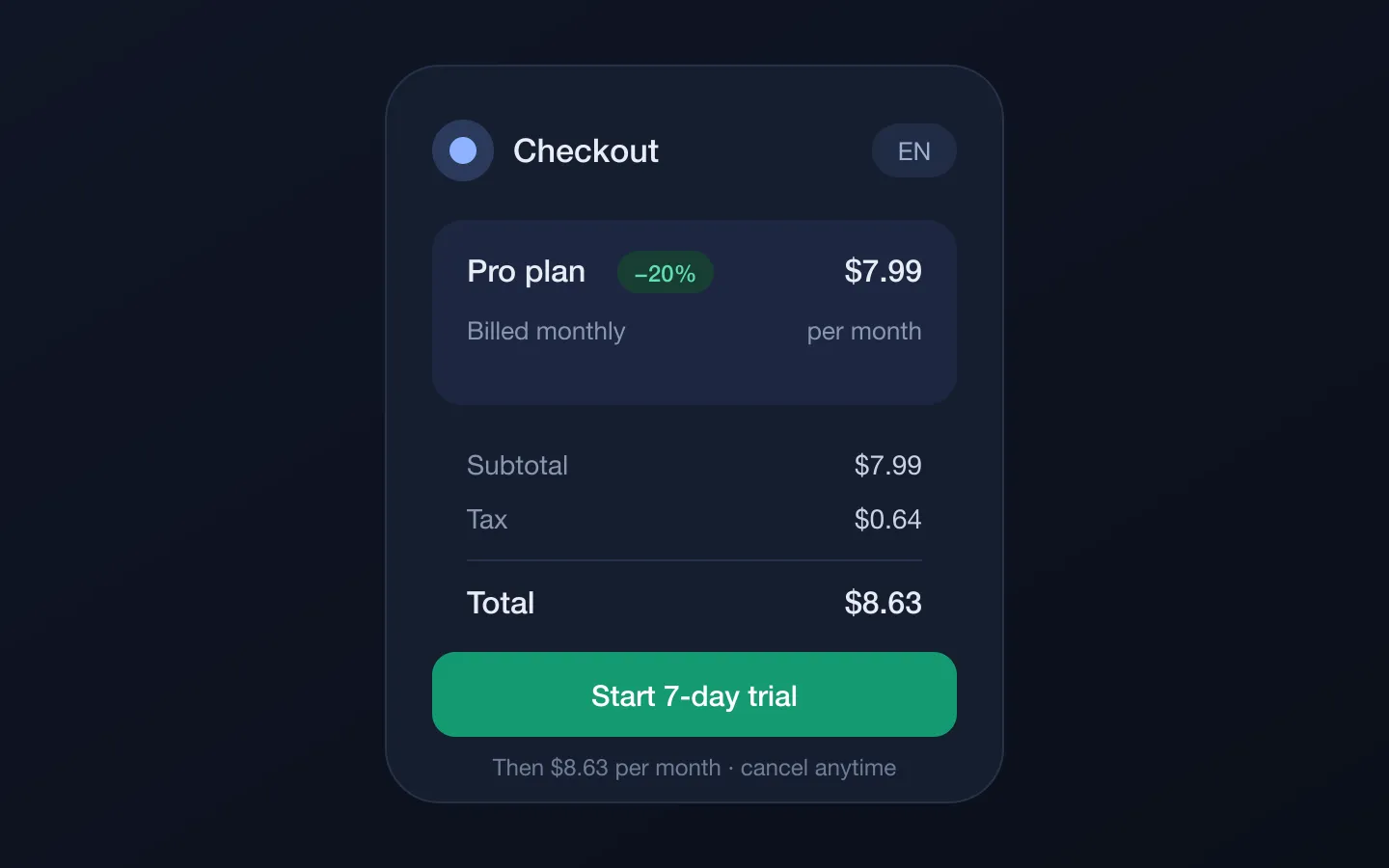
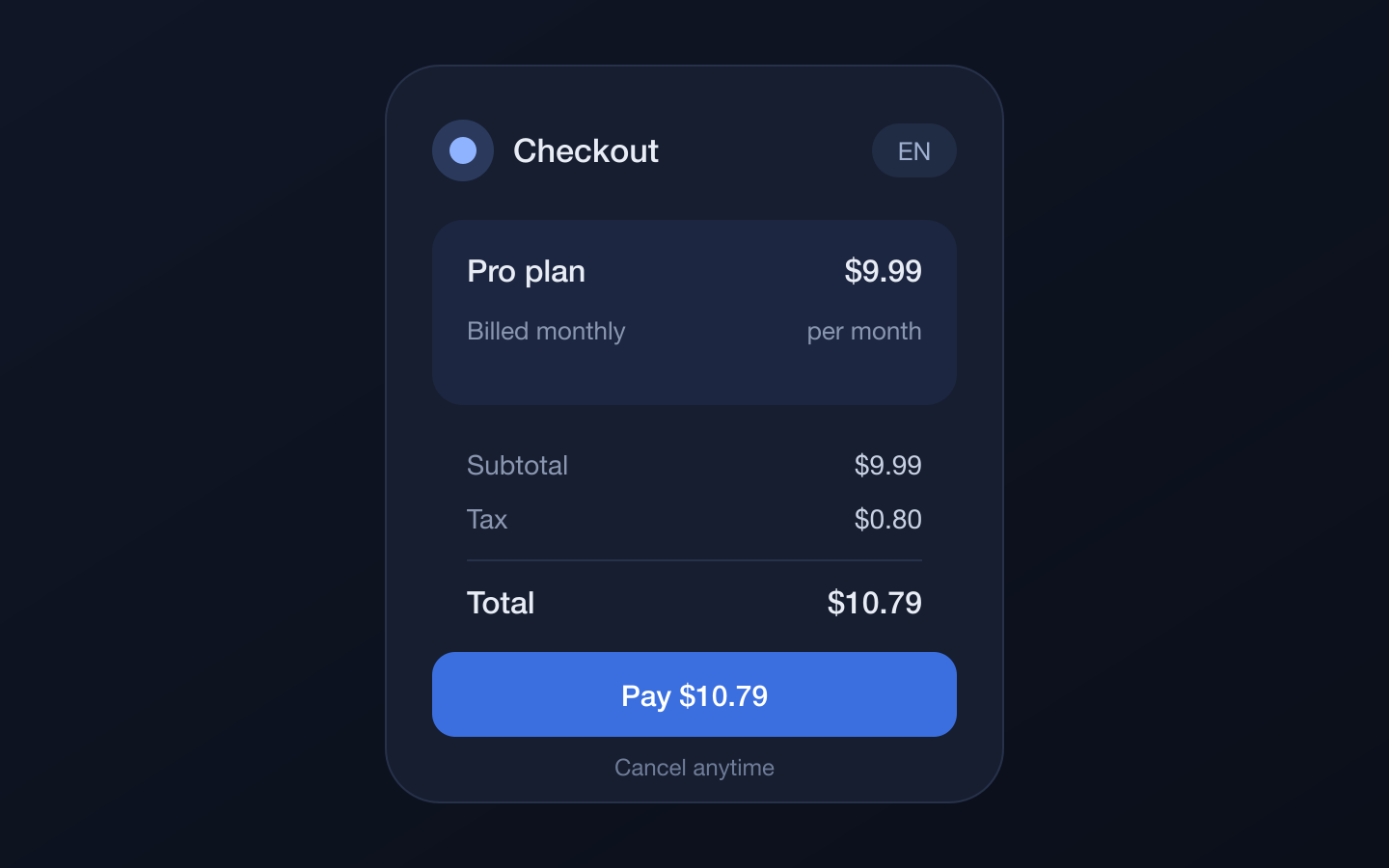
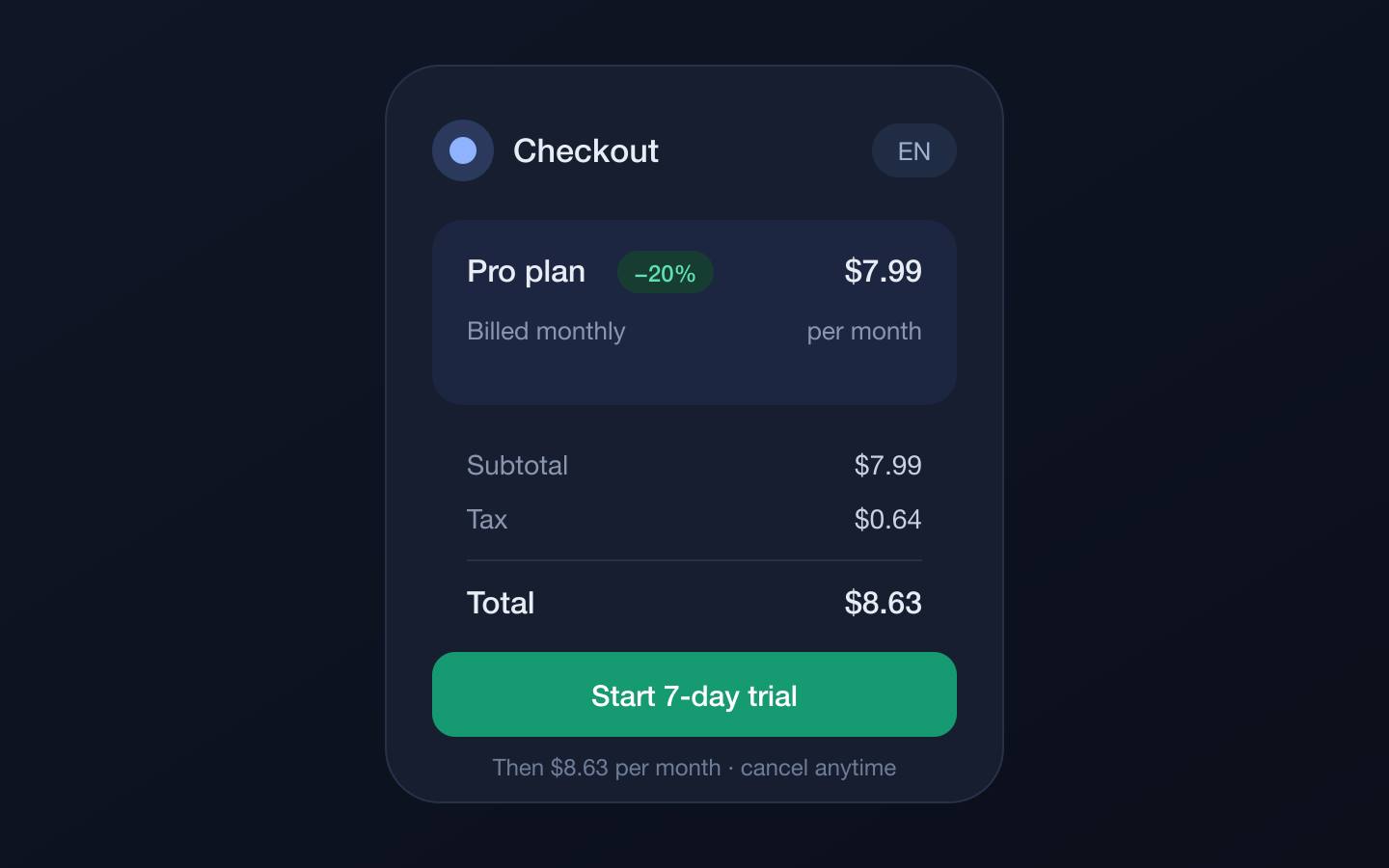
The −20% badge is hard to read on this card

Review notes that stay put

Leave a note on a diff line or on a region of an image, in its own pixels. A note follows its line as the file changes. Send the open notes to a running chat, or copy them as a Markdown package.

HistoryAll branches · 8 commits
1 uncommitted changeOpen Changes
  1. Merge feature/token-retry12m
  2. Retry token refresh once5h
  3. Show agent worktree sizes26h
  4. Measure worktrees in a background isolate31h
  5. Add session tests2d
  6. Merge feature/sidebar-grid3d
  7. Lay the sidebar on one grid3d
  8. Initial projectMar 4

Point at a badge, or tap it, to light up its history

A commit graph you read at a glance

One line per commit, as Fork draws it: lanes keep their column, the default branch keeps the first, merges are muted, and ↑ ↓ count what is not pushed or pulled.

5 changed files

All 5Unstaged 4Staged 0

Unstaged · 4

assets/checkout3

badge.pngA
[email protected]from checkout-2x.pngR
legacy.pngD
src/api/client.tsM

Untracked · 1

notes.md?

Every status, every file

Staged, unstaged, untracked and conflicted files in a tree, filtered by status or images. Stage, unstage or discard the file under review and the next one opens.

Commit to main

3 files staged

Commit message

Try the button

Commit messages drafted for you

The button beside the summary has your agent draft the message from the staged changes, and the same button drafts a new branch's name or a request's title and description. It runs once and read only, and the answer only fills the field.

Recovery copies

Automatic backups before commands that rewrite files. Verify, export or restore one into a new folder.

Image review

See what changed in every pixel.

PNG, JPEG, WebP and static SVG get a real review: two synchronized panes, editable zoom and a count of the pixels that changed.

  • Side by side
  • Swipe
  • Overlay
  • Pixel diff
  • Before
  • After
  • Blink
  • Fit, Width and 1:1, with cursor-centered wheel, pinch and double-click zoom
  • Correct before and after for staged, working and commit changes, renames included
  • Golden-test failures from CI open in the same viewer, Expected against Actual
Side-by-side image comparison with 67.36% of pixels changedBeforeAfter

Live demo: computed in your browser, with the same modes as ffgit.

MCP

Let your agents read Git through ffgit.

ffgit ships an MCP server, so Claude Code, Codex and other clients use the same Git core you review with — and ask you before they change anything.

~/code
$ claude mcp add --scope user ffgit -- \
/Applications/ffgit.app/Contents/MacOS/ffgit-mcp --allow ~/code
$ codex mcp add ffgit -- \
/Applications/ffgit.app/Contents/MacOS/ffgit-mcp --allow ~/code
# then, in an agent session:
●ffgit_status
●ffgit_logsearch "validators"
●ffgit_blamesrc/checkout/validators.ts
●ffgit_diff--staged

Claude Code wants to commit 2 files in checkout-web

ffgit_commit · validators.ts, validators.test.ts

  • Read tools. Status, branches, history and commit search, diffs, blame, line history, grep, conflicts and recovery copies.

  • Changes you approve. Agents can ask to stage, commit, branch, stash or resolve a conflict; the app carries it out with a recovery copy.

  • Only the folders you allow. The server reads repositories under --allow and never writes itself. No push, pull, discard or branch removal.

  • Project servers for every chat. List a project's MCP servers in .ffgit/mcp.json; once you review and approve them, they start in each Claude Code and Codex chat ffgit runs there.

Settings → Connect agents via MCP shows these commands with copy buttons.

Built for agent work, not bolted on

Most Git clients stop at the text diff. ffgit runs your agents and treats their work, images and CI output as changes worth reviewing.

CapabilityffgitTypical Git GUI
Claude Code and Codex chats with live status✓—
A new agent chat from any screen, with its login and model✓—
Several agents' attempts at one task, side by side✓—
Teams of Claude Code and Codex agents with checks✓—
An orchestrator chat that starts and supervises other chats✓—
One overview of waiting chats, requests and failed CI✓—
A review guide written by your own agent✓—
MCP server for coding agents✓—
Image diff with swipe, overlay, pixel diff and blink✓Limited
GitHub and GitLab reviews in the app✓Sometimes
CI logs, artifacts and golden-test failures✓—
Linked worktrees with their own drafts and state✓Sometimes
Warnings for secrets and build output before a commit✓Rarely
Recovery copy before commands that rewrite files✓Rarely
Disk cleanup for worktrees, build output and chats✓—

Commit to feature/checkout

Staged· 4

Unstaged· 2

Change queue · 0 waiting

Click a file to stage or unstage it.

Git, underneath

And a full Git client underneath.

Agents commit in their own worktrees. When you do it yourself, stage files, hunks or single lines, keep typing while Git catches up, and get a clear warning before a secret or build output slips into history.

  • Stage, unstage or discard a hunk or picked lines right in the diff
  • A change queue: stage file after file without waiting for Git
  • Warnings for likely secrets, build output and files over 50 MiB
  • Your hooks and signing run exactly as Git is configured

The rest of the Git loop

  • A diff that reads code

    Syntax colors for 35 languages, the changed words within a line, side by side, whitespace hidden on request, and hunk headers that name their function.

  • Line history

    Right-click a line number: who changed the line last and every commit before, following renames, without leaving the diff.

  • Edit local history

    Reword, reorder, squash, fix up or split unpushed commits. A review shows the exact before and after; nothing changes until Rewrite.

  • Stacked branches

    Stack a branch on another, see when its parent moves on, and restack unpushed branches together after a review, with a recovery copy first.

  • Conflicts, with or without an agent

    Each conflict is a card: Current, Incoming, both or the base. Or Resolve with agent…, then review what it resolved before you continue.

  • Linked worktrees

    Discover, create and open worktrees with their submodules. Switching keeps your tab, filters and commit drafts.

  • Open in your tools

    Open a worktree in Terminal, iTerm, Warp or Ghostty, Finder, or VS Code, Cursor, Zed and JetBrains IDEs, from the header or the sidebar.

  • Default branch kept current

    Once you turn it on, ffgit fetches every 15 minutes and fast-forwards the default branch, so new worktrees start fresh. Never a merge.

  • Named workspaces

    Personal, Work, Open source: shared projects, author profiles and commit signing chosen per workspace.

  • Add from folder

    Point ffgit at ~/code and tick the repositories it finds, or clone one picked from your GitHub or GitLab account.

  • Asks before it removes

    Discard, delete, abort or remove ask first, with a button named for the action instead of a generic OK.

  • Your palette

    System, light or dark, 31 palettes or your own, and contrast that follows the system setting.

Roadmap

In the beta, and what's next.

Items marked In the beta are in the current download. The rest are plans, not shipped features: their order and details can change.

  • In the beta

    Agent teams

    A coordinator splits your task into work items for roles, each with its own agent, login, model and worktree, so Claude Code and Codex work side by side. A role's check, such as flutter test, must pass before an item is accepted.

  • In the beta

    Flows

    A flow file kept in the repository with steps, checks, code and questions. An agent writes it, you approve it once, then watch it run and answer when it asks.

  • In the beta

    Live preview

    On macOS, open the app a worktree runs in a window of its own, mark a region and put the note, with its crop, into the agent's chat for you to send.

  • In the beta

    Desktop notifications

    On macOS, a chat that needs you and reminders before a weekly limit resets arrive as system notifications once you turn them on.

  • Next up

    Agents on your own server

    ffgit_serve keeps your agents working on a Linux machine you own while your laptop sleeps. Devices pair over an end-to-end encrypted link: no SSH, no open ports, and the relay sees only ciphertext. In the beta, a Mac already shares its chats with your other computers.

  • Next up

    Chats on your phone

    An iOS and Android app to follow your chats, answer approvals and questions, start a chat and stop a task over the same encrypted link. The computer stays the source of truth; the phone keeps nothing of a chat.

Pricing

Start early. Save 50%.

Free for personal use and small companies. Founders get 50% off paid licenses.

Free

$0USD

For personal use and companies with up to 3 developers.

  • No payment card required
  • Use your existing agent accounts

Annual

Founders · 50% off

Standard price: $50 USD

$25USD

/ seat / year

A yearly subscription for each person using ffgit.

  • Access and updates while subscribed
  • Billed yearly; cancel future renewals
  • Up to 3 devices per person

Lifetime

Founders · 50% off

Standard price: $150 USD

$75USD

/ seat · one-time

Pay once for lifetime access to ffgit.

  • Lifetime access
  • All future updates included at no extra cost
  • Up to 3 devices per person

All prices in USD. Free for personal use and companies with up to 3 developers. In companies with 4 or more developers, every person using ffgit needs a paid seat, including the first three. Agents and repositories do not count as seats.

Founders keep 50% off the current public price for their original seats, including future annual subscription renewals. Lifetime includes all future updates at no extra cost. Additional seats are priced at the standard rate.

License purchases are coming soon. Download the beta today.

Download for macOSDownload for WindowsDownload for Linux

Frequently asked questions

What is ffgit?

A desktop app for AI coding agents. It runs Claude Code and Codex in their own worktrees, several on one task or as a team, shows what each one is doing and which ones need you, and lets you review their code, images and CI before you commit or merge it. Underneath is a full Git client for your own work across repositories and worktrees.

Which coding agents does it work with?

Claude Code and Codex, started from ffgit with the CLI and login you already have, or with other logins you add. ACP agents such as Gemini CLI, OpenCode and Cursor open as chats too, as early support. Several agents can work on one task as a team. Any MCP client can read repositories through ffgit-mcp.

Do I need an API key or another AI subscription?

No new one. ffgit has no model of its own and resells no tokens: it starts the Claude Code and Codex you already use, with the login you already have, so their usage counts against your own plan or API key, as it does in a terminal. You can add several logins per agent and see each one's limits.

Is ffgit still in beta?

Yes. ffgit is currently in beta: features are evolving and bugs are possible. Beta builds for macOS, Windows and Linux are available to download. License purchases are coming soon.

Who can use ffgit for free?

Personal use and companies with up to 3 developers are free. In companies with 4 or more developers, every person using ffgit needs a paid seat, including the first three. Agents, windows and repositories are not seats.

How does the founders discount work?

Founders keep 50% off the current public price for their original seats, including future annual subscription renewals. Lifetime includes all future updates at no extra cost. Additional seats are priced at the standard rate.

Which platforms does it run on?

macOS 13 or later on Apple Silicon and Intel, Windows 10 or later (x64), and 64-bit Linux as a .deb for Ubuntu and Debian or a tarball for other distributions. The DMG is signed and notarized by Apple, and the Windows installer is signed with an EV code-signing certificate.

How do updates work?

On macOS ffgit updates itself with Sparkle, and ffgit → Check for Updates… does it on demand. On Windows and Linux it checks the same feed at launch and every hour, and Download saves the verified installer or archive for you to install. When a build is too old to keep working, the app asks you to update before you continue.

Does ffgit send my code anywhere?

No. Git runs through the git installed on your computer, and provider tokens are stored locally in an encrypted file. ffgit talks to GitHub or GitLab only when you act on them, checks for updates, and sends crash reports to ASO.dev's own Sentry only after you agree. Your agents talk to their own providers; ffgit keeps none of the chat.

Does it replace the git command line?

No, it uses it. Every operation runs through your installed git, so hooks, signing, filters and your config apply as usual. ffgit never deletes a locked index.lock; it waits and retries.

What is on the roadmap?

Agents on your own Linux server that keep working while your laptop sleeps, reached over an end-to-end encrypted link, and an iOS and Android app for your chats. Agent teams, flows, live preview and desktop notifications are already in the beta. Plans are not features of the current beta, and their order and details can change.

What if an operation goes wrong?

Before switching branches, discarding, stashing, merging, rebasing, pulling, editing history and other commands that rewrite files, ffgit saves a recovery copy you can verify, export or restore into a new folder.

Who makes ffgit?

ASO.dev LLP, a bootstrapped company based in England and the team behind ASO.dev. ffgit is built and distributed on the same infrastructure as the ASO.dev desktop app.

Put your agents to work.

Install ffgit, open the repositories you already have, start Claude Code or Codex on a task, and review what they changed before it lands.

Beta · v0.4.0 (696) · Nov 21, 2026macOS 13+ · Apple Silicon & Intel

Signed & notarized by AppleAlso for Windows · Linux

Beta · v0.4.0 (691) · Nov 21, 2026Windows 10+ · x64

EV-signed installer · no admin rights neededAlso for macOS · Linux

Beta · v0.4.0 (696) · Nov 21, 2026Linux x64 · .deb for Ubuntu & Debian

Other distributions: .tar.gzAlso for macOS · Windows